If the green light on your mobility scooter has started flashing, you are not alone. It is one of the most common questions mobility scooter owners search for, and the good news is that it rarely points to a serious fault. In most cases, a flashing green light comes down to something simple: a low battery, a charger that has not connected properly, or a control that is not set correctly before you switch the scooter on.
This guide explains what the green indicator light actually means, why it starts flashing, and how to fix it step by step. We will also cover what it means when a mobility scooter charger is flashing green, or flashing red and green together, since the charger uses its own signal system separate from the scooter itself.
What Does the Green Light Mean on a Mobility Scooter?
Every mobility scooter uses indicator lights to give riders a quick, visual update on power and battery status. A steady green light usually means the scooter is switched on, operating normally, and ready to ride. It is the all clear signal that tells you the battery has enough charge and no fault has been detected. When that same light starts flashing instead of staying solid, it is the scooter's way of asking for attention. The pattern itself, whether it is a slow pulse or a fast blink, can point to different causes, so it helps to understand what triggers each one before assuming the worst.
Common Causes of a Flashing Green Light
A flashing green light is almost always linked to one of five things: the battery, the charger, the control lever, the drive mode, or heat buildup inside the motor housing. Here is what each cause looks like in practice.
Low or Depleted Battery
The most frequent cause is simply a battery that is running low. Once charge drops below a certain point, many scooters flash the green light as an early warning before the scooter cuts power completely. Plugging in the charger usually resolves this within a few hours. For more detail on how long a battery should hold charge, see our guide on how long mobility scooter batteries last.
Charger Not Fully Connected
If the charging cable is loose at either end, the scooter may register an interrupted connection and flash the green light to flag it. Push the plug firmly into both the wall outlet and the charging port, and check that the pins are not bent or dirty.
Control Lever Not in Neutral
Most mobility scooters will not power on properly, and will instead flash a warning light, if the control lever, sometimes called the wig wag, is not sitting in the neutral position when you turn the key. Centre the lever fully before switching the scooter on.
Scooter Left in Freewheel Mode
Freewheel mode disengages the motor so the scooter can be pushed by hand, for example when loading it into a car boot. If you forget to switch back to drive mode, the scooter cannot move under power and the indicator light will flash to let you know.
Overheating or an Electrical Fault
Heavy use on hot days, steep inclines, or a long uphill stretch can cause the motor or controller to run warmer than usual. Some models flash the green light as a protective measure until the components cool down. If the flashing continues after a rest period, there may be a wiring or component fault that needs a technician's attention.
Mobility Scooter Charger Flashing Green or Red and Green
The charger itself has a separate light system from the scooter, and this is where a lot of confusion starts. On most mobility scooter chargers, including the widely used UPG charger fitted to many models, a flashing green light usually means the battery is charging but has not yet reached full capacity. Once charging completes, the light typically turns solid green or switches off entirely, depending on the charger design.
If you see the charger flashing red and green together, this usually signals that the charger is topping up the battery while still detecting a small voltage gap, which is normal in the final stage of a charge cycle. However, if the lights alternate irregularly, flash rapidly, or the red light stays on permanently, this can point to a battery that is not accepting charge properly, a damaged charging cable, or a charger that no longer matches the battery's voltage. In that case, unplug the charger, inspect the cable and pins for damage, and try charging again from a different wall socket before assuming the battery itself has failed.
How to Fix a Flashing Green Light
Work through these checks in order before booking a repair.
-
Fully charge the battery and leave it connected for the recommended time stated in the user manual, even if the light already looks solid.
-
Unplug the charger, check both ends of the cable for damage, then reconnect it firmly.
-
Confirm the control lever is centred in neutral before turning the key.
-
Check whether the scooter is in freewheel mode and switch it back to drive mode if needed.
-
Turn the scooter off, wait a minute, then switch it back on to reset a minor electronic glitch.
-
Inspect the battery terminals for corrosion or loose connections, and clean them gently if needed.
Most flashing green light issues clear up after one or two of these steps.
When to Contact a Professional
If the green light keeps flashing after a full charge cycle, or you notice unusual smells, sounds, or a sudden loss of power while riding, stop using the scooter and contact a qualified technician. Attempting to open the battery pack or controller yourself can be dangerous and may void your warranty. A professional can test the battery voltage, inspect the wiring, and confirm whether a replacement part is needed.
Preventing Green Light Warnings in the Future
A few simple habits go a long way toward avoiding flashing light issues altogether.
-
Charge the battery fully after every outing rather than letting it run down to empty.
-
Store the scooter in a dry space with a stable temperature, away from direct sunlight or damp garages.
-
Check the charging cable and battery terminals every few weeks for wear or corrosion.
-
Always confirm the control lever and drive mode are set correctly before switching on.
-
Follow the charging schedule in your user manual rather than guessing at charge times.
Choosing a Reliable Mobility Scooter
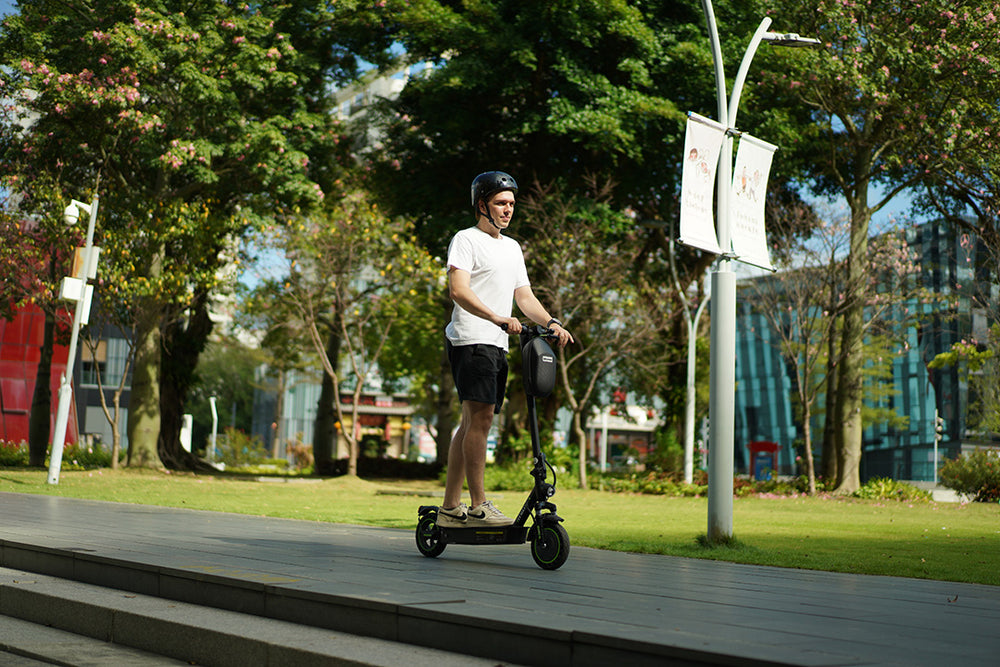
If your current scooter keeps giving you trouble, it may be worth looking at a model built with dependable battery and charging hardware from the start. The isinwheel X02 Mobility Scooter uses a 24V 12Ah battery with a range of up to 12.4 miles per charge, a 250W rear wheel motor, and a full recharge time of around 7 to 8 hours using the included charger. It is UKCA certified, supports riders up to 264 lbs (120 kg), and comes with a padded swivel seat and adjustable handlebars for everyday comfort. Browse the full range of mobility scooters to compare models and find one that suits your needs.
Frequently Asked Questions
Why is my mobility scooter charger flashing green?
A flashing green light on most mobility scooter chargers, including UPG chargers, means the battery is still charging and has not yet reached full capacity. Leave it connected until the light turns solid or switches off.
Why is my mobility scooter charger flashing red and green?
Red and green flashing together usually happens in the final stage of charging, when the charger detects a small remaining voltage gap. If the pattern looks irregular or the red light will not clear, check the cable and battery connections, or have the battery tested by a professional.
Is a flashing green light dangerous?
On its own, a flashing green light is rarely dangerous. It is a status indicator, not an alarm. However, if it is paired with unusual heat, smells, or sounds, stop using the scooter and have it checked by a qualified technician.
A flashing green light is usually nothing to worry about once you know what it is telling you. Work through the charger, battery, and control checks above, and most riders will be back on the move within minutes. For scooters that keep flashing after every fix, it may be time to consider a dependable replacement built to last.














































Leave a comment